
Hardware security keys have achieved what no other authentication method could: zero successful phishing attacks at Google across 85,000 employees since 2017. That’s not marketing fluff. That’s eight years of data from one of the most targeted organizations on the planet.
This phishing-resistant technology is now mandated by federal agencies and recommended by CISA as the “gold standard” for authentication. And it directly addresses the #1 initial attack vector—credential theft accounted for 16% of all data breaches in 2024 according to IBM’s Cost of a Data Breach Report.
For organizations evaluating hardware authentication for password manager protection, this guide provides current pricing (verified January 2026), step-by-step setup procedures, and concrete ROI data to support implementation decisions.
⚠️ CRITICAL: LastPass Uses Phishable OTP Protocol
LastPass implements Yubico OTP—not FIDO2/U2F—for YubiKey authentication. This means LastPass YubiKey 2FA can be bypassed in real-time phishing attacks via man-in-the-middle interception. Security researchers have demonstrated this vulnerability.
Action required: If phishing resistance is your goal, choose 1Password or Bitwarden instead.
TL;DR: Quick Decision Framework
Best for enterprise enforcement: 1Password Business ($7.99/user/month)—only major password manager that lets admins require hardware keys for all team members
Best for budget-conscious security: Bitwarden Free—the only password manager offering FIDO2 WebAuthn on free accounts
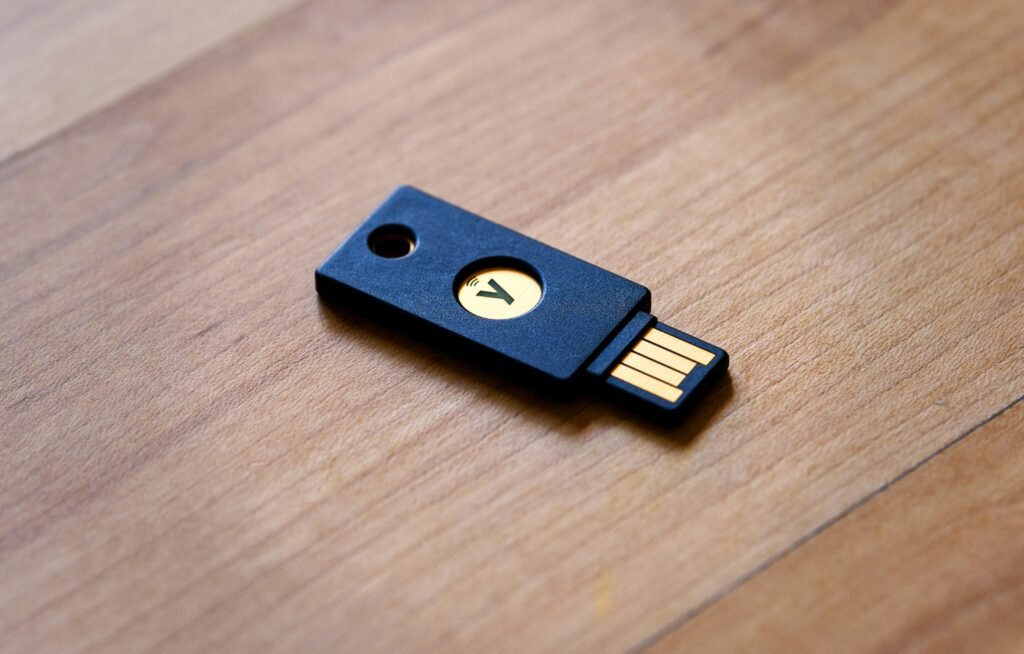
Best hardware key for most users: YubiKey 5C NFC ($58)—USB-C plus NFC covers laptops and phones
Minimum investment for meaningful protection: Two YubiKey Security Keys ($29 each) = $58 total. Always buy pairs—losing your only key means account lockout.
The Financial Stakes: Why This Matters Now
The numbers are brutal. Credential-based breaches cost an average of $4.81 million and take 292 days to detect—the longest lifecycle of any attack vector according to IBM’s most recent Cost of a Data Breach Report.
But here’s the flip side: hardware keys deliver a 203% three-year ROI based on Forrester’s Total Economic Impact study, while reducing password-related help desk tickets by approximately 75% by Year 3. Google reported 92% reduction in password reset costs.
Passkey adoption crossed 1 billion users in 2025, and Microsoft made passkeys the default sign-in method for new accounts last May. This isn’t emerging tech anymore—it’s the new baseline.
When You Don’t Actually Need Hardware Security Keys
Let me be honest with you—not every organization needs to drop $58+ per employee on YubiKeys.
Skip hardware keys if ALL of these are true:
- Fewer than 25 employees with simple tech stacks
- No remote workers accessing sensitive systems
- No compliance requirements (HIPAA, SOC 2, FedRAMP, PCI-DSS)
- Low turnover means minimal offboarding risk
- No history of phishing attempts targeting your organization
- IT has capacity for incident response if credentials are compromised
Graduate to hardware keys when:
- First phishing email successfully fools an employee (even without breach)
- Approaching 50+ employees or adding remote access
- First compliance audit or customer security questionnaire
- Any employee handles PII, financial data, or trade secrets
- Insurance carrier asks about MFA implementation
For organizations in that “skip” category, TOTP-based authenticator apps (Google Authenticator, Authy, 1Password’s built-in TOTP) provide meaningful protection against credential stuffing and password reuse—just not against sophisticated real-time phishing.
Current YubiKey Models and Pricing (Verified January 2026)
The YubiKey lineup divides into three categories. Understanding the differences saves you from buying more key than you need—or worse, less.
YubiKey 5 Series (Flagship)
Full protocol support: FIDO2/WebAuthn, U2F, Yubico OTP, OATH-HOTP/TOTP, Smart Card (PIV), and OpenPGP. The TOTP support matters because you can use the Yubico Authenticator app to generate codes stored on the key itself—your TOTP secrets never touch your phone.
Pricing from Yubico.com:
| Model | Price | Best For |
|---|---|---|
| YubiKey 5 NFC (USB-A) | $58 | Older laptops, desktop workstations |
| YubiKey 5C NFC (USB-C) | $58 | Most users—covers modern laptops + phone NFC |
| YubiKey 5Ci (USB-C + Lightning) | $85 | iPhone users who need wired connection |
| YubiKey 5 Nano/5C Nano | $68 | Leave-in laptop option (travel risk) |
Security Key Series (Budget Option)
FIDO2/U2F only—no OTP, PIV, or OpenPGP. At $29, this is sufficient for password manager 2FA if you don’t need the additional protocols. Honestly? For pure “protect my password vault” use cases, this works fine.
YubiKey Bio Series
Starting at $98, adds fingerprint authentication. The biometric unlocks the key—no PIN required. Nice for biometric-first workflows, but overkill for most password manager setups.
⚠️ IMPORTANT: Firmware Version Matters
The May 2024 firmware update (5.7) expanded passkey storage from 25 to 100 resident credentials. Keys from Yubico.com ship with current firmware. Amazon purchases may ship older versions—no way to verify before opening.
Action required: Buy direct from Yubico for guaranteed current firmware, or verify firmware immediately after purchase using Yubico Authenticator.
Bulk pricing: 4% off for 50-199 units, 6% off for 200+ units through Yubico direct.
Password Manager Compatibility: The Differences Matter
Not all password manager implementations are equal. Some are genuinely phishing-resistant. One isn’t.
1Password
Plans: Individual ($2.99/month), Families ($4.49/month), Teams Starter ($19.95/month flat for up to 10), Business ($7.99/user/month), Enterprise (custom)
The standout feature: 1Password Business and Enterprise let administrators enforce hardware key requirements for all team members. No other major password manager does this. If you’re evaluating for organizational deployment and need guaranteed compliance, this is your answer.
Setup path: 1Password.com → your name → Manage Account → More Actions → Manage Two-Factor Authentication → Add a Security Key
The catch: Mobile NFC detection on iOS is inconsistent. I’ve had keys work perfectly one day and refuse to register the next. Keep an authenticator app configured as backup—1Password supports this alongside hardware keys.
Bitwarden
Plans: Free (yes, really), Premium ($10/year), Families ($40/year), Teams ($4/user/month), Enterprise ($6/user/month)
The standout feature: FIDO2 WebAuthn on free accounts. Bitwarden is the only major password manager offering hardware key support without a paid subscription. Up to 5 keys per account.
Setup path: Settings → Security → Two-step Login → FIDO2 WebAuthn
Platform support: Web vault, browser extensions, desktop apps (Windows 10+), mobile (iOS 13.3+, Android).
Keeper
Plans: Personal (~$2.91/month), Business (~$45/user/year)
Full FIDO2 WebAuthn, up to 5 keys, NFC on iOS 16.4.0+ and Android 16.4.0+. Solid implementation, nothing remarkable to call out.
Dashlane
The headline: Last October, Dashlane became the first major password manager to enable true passwordless login—YubiKey as primary authentication, no master password required.
This uses the WebAuthn PRF (Pseudo-Random Function) extension. The hardware key both authenticates you and derives the encryption key for your vault. Currently beta, desktop Chromium browsers only. Ambitious technical direction worth watching.
LastPass (Warning)
I need to be direct about this: LastPass uses Yubico OTP protocol, not FIDO2/U2F. This is a meaningful security difference.
FIDO2 is cryptographically bound to the legitimate website origin—a phishing site literally cannot complete the authentication handshake. Yubico OTP generates a one-time password that you (or an attacker intercepting your traffic in real-time) can type into any site.
Security researchers have demonstrated man-in-the-middle attacks against LastPass YubiKey 2FA. If phishing resistance is why you’re implementing hardware keys, LastPass defeats the purpose.
FIDO2 Technical Deep Dive
For those who want to understand why this works, not just that it works.
The Registration Flow
When you register a YubiKey with a website, the authenticator creates a public-private key pair. The private key stays in the secure element—it’s never extractable, period. Not by malware, not by a compromised browser, not by physical tampering short of destroying the chip. The public key goes to the server.
The Authentication Flow
Server sends a cryptographic challenge. YubiKey signs it with the private key after you verify (PIN or touch). Server verifies the signature matches the stored public key.
Here’s the critical part: the signature includes the website origin. A phishing site at g00gle-login.com cannot use a signature created for google.com. The cryptography itself prevents credential relay.
Resident Keys (Discoverable Credentials)
These enable true passwordless authentication by storing user identity on the key. You can walk up to a computer, insert your YubiKey, and authenticate without typing a username.
Firmware 5.7 supports 100 resident keys (up from 25). This matters if you’re using passkeys across dozens of services. With CTAP2.1, you can delete individual credentials through the authenticatorCredentialManagement command. Older firmware (pre-5.2.3) requires full device reset to clear credentials.
Browser Support
Effectively universal at this point: Chrome 67+, Firefox 60+, Safari 14+, Edge 18+ all support WebAuthn Level 2. Mobile: iOS 16.0+ with iCloud Keychain passkey sync, Android 9+ via Google Play Services.
Step-by-Step: YubiKey Setup for 1Password
I’m walking through 1Password because the enforcement capability makes it the most common enterprise choice. The general flow applies to other managers.
Prerequisites
Before starting:
- YubiKey 4, 5, or Security Key series (any support FIDO2)
- Chrome, Firefox, Edge, Opera, or Safari
- Verify FIDO U2F is enabled via Yubico Authenticator desktop app (it is by default)
Initial Setup
- Sign in at 1Password.com from a computer. Mobile setup isn’t supported for initial key registration.
- Click your name (top right) → Manage Account
- Navigate to More Actions → Manage Two-Factor Authentication
- Click “Add a Security Key” and enter a name you’ll recognize (“Primary YubiKey USB-C” beats “Security Key 1”)
- When the browser prompts to save a passkey, click the security key icon to use hardware instead of platform authenticator
- Insert your YubiKey
- If Windows Security prompts for a PIN, create one. This PIN is stored locally on the YubiKey—not in any cloud. It protects against someone finding your key and using it without your knowledge.
- Touch the sensor when it blinks
- Confirm success, click Done
The Backup Step You Cannot Skip
Immediately repeat this process with a second YubiKey.
Store the backup in a different physical location from your primary. Safe deposit box, trusted family member’s house, office safe—somewhere you can access if your primary key is lost, stolen, or damaged.
Think about that for a second. If your only authentication method is a physical object that can be lost, you need a backup physical object. This isn’t optional.
Mobile Configuration
For iOS with NFC-enabled YubiKeys (5 NFC, 5C NFC):
Position the key near the top edge of your iPhone, close to the camera module. NFC antenna location varies by model, but top-edge positioning works for iPhone XS and later.
Real talk: NFC detection is inconsistent. Multiple Trustpilot reviewers report keys that worked initially but became undetectable after iOS updates. Always configure an authenticator app as backup through Settings → Security → Two-factor authentication → Add an authenticator app.
For YubiKey 5Ci with Lightning: You may need to remove bulky phone cases for reliable connection.
Recovery If Primary Key Is Lost
- At login, when prompted for security key, click Cancel
- Select “Use your authenticator app instead”
- Enter the 6-digit code
- Once logged in, immediately remove the lost key from your account
- Register your backup as the new primary
- Order a replacement backup
The Business Case: Breach Prevention ROI
The evidence base here is as solid as it gets in security.
Google’s Eight-Year Track Record
Google deployed hardware keys to 85,000 employees in 2017. Results through 2025: zero confirmed account takeovers from phishing. Not “reduced”—zero.
In controlled studies comparing authentication methods, hardware keys achieved a 0% failure rate versus approximately 3% for OTP-based authentication. That gap matters at scale.
Recent Breaches That Hardware Keys Would Have Prevented
MGM Resorts (September 2023): Attackers social-engineered IT help desk into resetting Okta credentials via a 10-minute phone call. Total losses exceeded $100 million. MGM later committed $40 million to security improvements and settled a $45 million class-action lawsuit.
Caesars Entertainment (2023): Similar social engineering against an outsourced IT vendor. Paid $15 million ransom.
Both attacks required obtaining valid credentials. FIDO2 authentication requires physical key possession and cryptographic verification that the authentication request comes from the legitimate site. Social engineering can’t produce a valid FIDO2 signature.
Snowflake Customer Breaches (2024): Data on 900+ million victims exposed across AT&T, Ticketmaster, and Santander Group. Root cause? MFA wasn’t mandatory on customer accounts. Attackers used stolen credentials from previous breaches.
What Hardware Keys Block
The attack chain collapses at multiple points:
- Phishing: Keys verify website origin cryptographically. Fake site = failed authentication.
- Credential stuffing: No password to stuff.
- Man-in-the-middle: FIDO2 binds credentials to specific origins. Relay attacks fail.
- SIM swapping: No phone number involved.
- MFA fatigue/prompt bombing: No notifications to approve.
The limitation: hardware keys protect the authentication moment. They don’t protect against post-authentication session hijacking (attacker steals your session cookie after successful login). That requires complementary controls—shorter session timeouts, IP binding, device certificates.
Compliance Framework Requirements
Regulatory pressure is accelerating hardware key adoption. Here’s where things stand.
FedRAMP
Phishing-resistant MFA is now mandatory at Low, Moderate, and High baselines under Control IA-2, per NIST SP 800-53 Rev 5. OMB Memo M-22-09 required federal agencies to implement this by end of FY 2024.
What qualifies: FIDO2/WebAuthn, PKI (PIV/CAC cards), hardware security keys.
What doesn’t: SMS, push notifications without number matching, TOTP. Explicitly unacceptable.
SOC 2
Trust Services Criteria CC6.1 and CC6.2 address logical access and authentication. MFA isn’t explicitly required, but auditors routinely use NIST SP 800-63B as benchmark. Hardware keys demonstrate strong authentication controls.
HIPAA
The January 2025 Security Rule NPRM represented the biggest proposed change in 20 years—eliminating “addressable” specifications and making MFA mandatory with no exceptions. Final rule implementation is expected throughout 2026. Healthcare’s average breach cost of $9.77 million (highest of any industry) makes this overdue.
Hardware keys address the primary attack vector while meeting proposed requirements.
GDPR
Requires “appropriate technical and organizational measures.” ENISA guidance recommends two-factor authentication for accessing systems with personal data, specifically mentioning “security tokens” and “USB sticks with a secret token.”
Zero Trust (NIST SP 800-207)
Hardware keys provide the foundational identity verification layer—phishing-resistant, origin-bound authentication that cannot be relayed by adversary-in-the-middle proxies. If you’re building toward Zero Trust, this is table stakes.
Competitive Alternatives: When Something Else Makes Sense
YubiKey dominates enterprise deployments, but alternatives exist for specific use cases.
Google Titan Security Keys ($30-35)
Google’s firmware integrity verification on FIDO2/U2F-only hardware. No OTP, PIV, or OpenPGP. Best for Google-centric environments wanting trusted hardware at lower cost.
Feitian
Broadest model range at budget prices. The ePass K9 ($18-25) handles basic FIDO2/U2F. The BioPass K50 Pro ($80-108) adds fingerprint authentication with FIPS 140-2 Level 2 certification.
Fun fact: Feitian manufactures Google Titan keys under contract. Build quality is comparable to premium options.
OnlyKey ($49.99)
Unique combination of hardware password manager plus security key. Stores 24 passwords, usernames, and OTP accounts with PIN-protected on-device entry—defeats keyloggers because credentials never traverse the USB as keystrokes until you initiate.
Self-destruct wipes data after 10 failed PIN attempts.
Tradeoffs: Larger form factor (integrated keypad), 30-40 minute setup time, steeper learning curve.
SoloKeys ($35-40)
The only fully open source option—hardware and firmware. Made in Italy, firmware in Rust. Ideal for security researchers and organizations requiring complete audit capability. Lacks enterprise management tooling.
Thetis ($28-35)
Excellent value with dual USB-A/USB-C plus NFC in one device. Aluminum construction. The limitation: no FIDO Authenticator Level 2 certification, which some services require.
Enterprise Deployment: Total Cost of Ownership
For organizations with 500+ users, YubiEnterprise Subscription provides lifecycle management. Yubico quotes “less than the price of a cup of coffee per user, per month.”
Benefits include: key replacements, global delivery to corporate and residential addresses, asset management dashboards, dedicated Customer Success Manager.
Documented ROI
The Forrester Total Economic Impact study for a 5,000-person organization found:
- 203% three-year ROI
- ~75% reduction in password-related help desk tickets by Year 3
- 99.9% reduction in successful phishing/credential theft attacks
- ~50% faster authentication compared to SMS OTP
Cost Comparison Per Employee (Annual)
| Method | Cost | Notes |
|---|---|---|
| YubiKey 5C NFC | ~$19/year | $58 amortized over 3 years |
| YubiEnterprise Subscription | ~$36-48/year | Includes replacements |
| Mobile device stipend for SMS 2FA | ~$430/year | Oxford Economics estimate |
| Average credential breach | $4.81 million | IBM 2024, per incident |
Deployment Best Practices
- Two keys per user minimum. Primary plus backup.
- Enroll both keys during onboarding. Don’t wait for “later.”
- Self-service replacement portal. YubiEnterprise includes this. Reduces IT ticket volume.
- Custom engraving for identification. Bulk orders support this. Helps with asset management.
- Alternative authentication paths. Some edge cases (lost keys during travel, accessibility needs) require fallback options. Define these in advance.
User Experience: What Real Deployment Looks Like
Enterprise IT reviews on PeerSpot rate YubiKey 8.8/10. Security effectiveness and authentication speed get praise.
Consumer reviews on Trustpilot show 2.2/5 stars—complaints concentrate on customer support response times and setup documentation complexity.
Setup Time Expectations
Basic password manager 2FA across multiple services (Google, 1Password, GitHub, etc.) with primary and backup keys: budget 1-2 hours total. Honestly, probably closer to 2 hours if you’re methodical about it.
Advanced configurations—OpenPGP key generation, PIV smart card setup—require additional technical knowledge. The documentation exists but, as reviewers note, “novice users might find intimidating.”
Daily Use
Authentication adds approximately 3-5 seconds to login: insert key, touch sensor, done. No batteries, no phone required, no “waiting for push notification.”
The common annoyance: accidentally triggering OTP output into chat windows. That random string of characters appearing in Slack? Your YubiKey touched something. Configure OTP to require 3-second hold instead of tap to prevent this.
Mobile NFC Reality Check
iPhone users report inconsistent detection requiring precise positioning. Multiple Trustpilot users report keys that “initially work with iPhones, but more recently neither of my iPhones could detect them.” iOS updates seem to occasionally break NFC reliability.
YubiKey 5Ci Lightning connection works more reliably but requires removing most phone cases.
My recommendation: assume NFC will be finicky and always configure authenticator app backup for mobile scenarios.
Durability
This is where YubiKeys shine. Users report keys working 10+ years with daily use. IP68 rating means water resistant to 1.5m for 30 minutes. The fiberglass-reinforced plastic survives being run through washing machines (ask me how I know).
One enterprise deployment noted “no reported cases of device failure” despite some key losses. The hardware is bulletproof.
Future-Proofing Your Investment
The Passkey Transition
We’re in the middle of a major authentication shift. 48% of top 100 websites now support passkeys. Microsoft made them default for new accounts last May. NIST SP 800-63-4, published mid-2025, officially recognizes synced passkeys for AAL2 compliance.
Current YubiKeys remain compatible—WebAuthn backward compatibility is maintained across firmware versions.
Firmware Limitations
Firmware cannot be updated post-manufacture. This creates potential constraints:
- Pre-5.7 firmware: 25 passkey limit (vs. 100 current)
- Pre-5.2.3 firmware: No individual resident key deletion
- Missing: Some enterprise attestation and enhanced PIN management features added in recent firmware
Post-Quantum Cryptography: The Next Hardware Refresh
Here’s what keeps me up at night. Current ECC-based FIDO2 implementations are theoretically vulnerable to future quantum computers. “Future” meaning 10-15 years based on current estimates, but estimates have been wrong before.
NIST standardized post-quantum algorithms in 2022. Google published FIDO2 security key research using ECC/Dilithium hybrid signatures in August 2023.
Expect hardware refresh requirements around 2027-2030 as post-quantum standards mature. Budget accordingly.
Recommended Purchasing Strategy
- Buy YubiKey 5 Series with firmware 5.7+ for 100-passkey capacity
- Maintain hardware-bound passkeys for high-security applications
- Allow synced passkeys (iCloud Keychain, Google Password Manager) for lower-risk accounts where convenience matters
- Budget for key refresh every 3-5 years as standards evolve
- Monitor Yubico’s post-quantum announcements
Implementation Priorities for Security Decision-Makers
Hardware security keys represent the most cost-effective security investment available: 100% phishing prevention (proven at Google scale over eight years), approximately 203% three-year ROI per Forrester’s analysis, and compliance with increasingly stringent regulatory requirements.
For password manager protection, I recommend:
Budget-conscious: Bitwarden Free + two YubiKey Security Keys ($29 each) = $58 total for phishing-resistant authentication
Enterprise with enforcement needs: 1Password Business ($7.99/user/month) + YubiKey 5C NFC ($58)—the only combination that lets you require hardware keys for all team members
Priority Deployment Targets
- Administrative accounts (IT, finance, HR with system access)
- Remote access (VPN, cloud console, SSH)
- Financial systems (banking, payment processing)
- Employees with access to PII or trade secrets
Deployment Checklist
- Procure two keys per user (primary + backup)
- Enroll both keys before primary deployment
- Configure authenticator app fallback for mobile edge cases
- Document recovery procedures for lost keys
- Establish self-service replacement workflow
- Define exceptions policy for accessibility needs
The technology is mature. The ROI is documented. The threat landscape makes hardware authentication increasingly non-optional.
The question isn’t whether to deploy—it’s how quickly you can achieve coverage across critical access points.
Can YubiKey Be Hacked or Cloned?
Short answer: not practically. The private keys stored in YubiKey’s secure element cannot be extracted—not by malware, not by physical access, not by Yubico themselves. The chip is designed to destroy itself before revealing keys.
There’s no known successful attack against YubiKey’s secure element in the wild. Academic researchers have demonstrated side-channel attacks against older YubiKey 4 series in lab conditions (requiring physical possession, specialized equipment, and hours of work), but these don’t translate to real-world threats. YubiKey 5 series addressed these theoretical vulnerabilities.
The practical risk isn’t cloning—it’s theft. If someone steals your YubiKey AND knows your PIN, they can authenticate as you. That’s why the PIN exists and why you should report lost keys immediately.
What Happens If I Lose My YubiKey?
This is why you buy two.
If you’ve configured a backup key (and you should have), use it to log in, remove the lost key from your accounts, and order a replacement backup.
If you only had one key, you’ll need to use your backup authentication method—authenticator app codes, recovery codes, or contacting support. This is painful. Some services have multi-day identity verification processes for account recovery without 2FA.
For enterprise deployments, YubiEnterprise Subscription includes replacement keys shipped globally. Self-service portals let users request replacements without IT tickets.
Bottom line: the $58 for a backup key is cheap insurance against account lockout.
Do YubiKeys Work With iPhone and Android?
Yes, but with caveats.
iPhone: NFC works with YubiKey 5 NFC and 5C NFC on iPhone 7 and later running iOS 13.3+. Position the key near the top edge of the phone. Detection can be inconsistent—some users report keys that work initially but become unreliable after iOS updates. YubiKey 5Ci provides reliable Lightning connection but requires removing most cases.
Android: NFC and USB-C both work on Android 9+ with Google Play Services. Generally more reliable than iOS in my experience.
For both platforms, configure an authenticator app as backup for the inevitable moment when NFC decides not to cooperate.
Is One YubiKey Enough for Multiple Password Managers?
Yes. A single YubiKey can protect unlimited accounts across different password managers and services. Each registration creates a unique key pair—there’s no interference between accounts.
The limitation is resident key storage (passkeys stored on the device). Firmware 5.7+ supports 100 resident keys. If you’re using passwordless login across dozens of services, you might eventually hit this limit. Standard FIDO2 authentication (where the service stores the credential reference) has no practical limit.
Why Is YubiKey Better Than Google Authenticator or Authy?
Different threat models. TOTP apps (Google Authenticator, Authy) protect against credential stuffing and password reuse—attackers can’t log in with just a stolen password.
YubiKeys protect against all of that PLUS real-time phishing. An attacker running a fake login page can intercept and replay TOTP codes within their 30-second window. They cannot intercept FIDO2 authentication because the cryptographic signature is bound to the legitimate site’s origin.
If sophisticated phishing is your concern (and it should be for high-value targets), hardware keys are the answer. If you just need protection against automated attacks, TOTP apps are “good enough” for many use cases—and they’re free.
Can I Use YubiKey If My Company Uses Okta/Azure AD/Google Workspace?
Yes—this is actually the ideal deployment scenario.
All major identity providers support FIDO2:
Google Workspace: Enforced security key requirement available for high-risk users
Okta: Full WebAuthn support, can enforce hardware keys via authentication policies
Azure AD/Entra ID: Native support, integrates with Windows Hello
Configuring at the IdP level means one YubiKey protects access to all downstream applications through SSO. This is more efficient than registering keys with individual services.
How Long Do YubiKeys Last?
Effectively forever for most users. There’s no battery (the key draws power from USB or NFC), and the secure element has no known wear-out mechanism from normal use.
Users report keys working 10+ years with daily use. The IP68 water resistance rating (1.5m for 30 minutes) and fiberglass-reinforced construction survive abuse that would destroy most electronics.
The practical replacement trigger isn’t hardware failure—it’s firmware obsolescence. As standards evolve (particularly post-quantum cryptography), you may want newer keys for compatibility. Budget for refresh every 3-5 years as a planning assumption, but don’t expect hardware failure to force replacement.